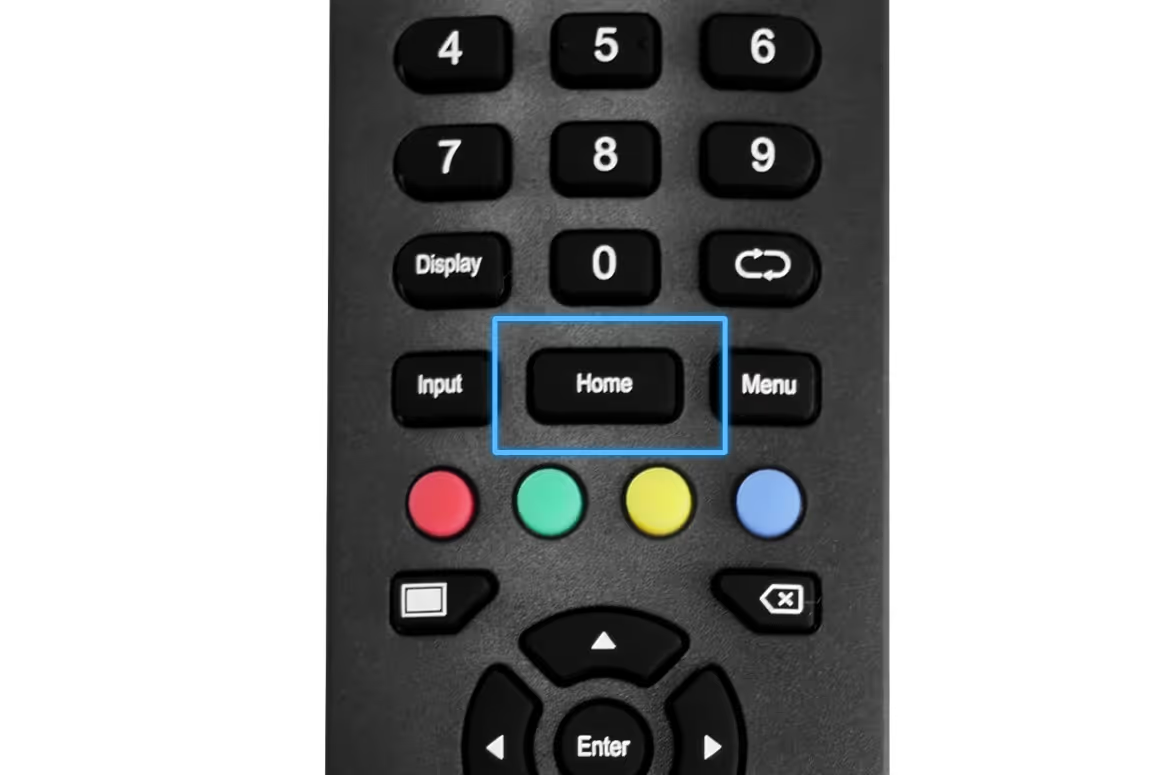
Use this guide for the 65-, 75-, and 85-inch ClearTouch screens with the controls shown below. For a 43- or 55-inch Way Screen, use ClearDigital Way Screen setup.
Have your Rocket site ID ready. Ask your project owner or Rocket support if you do not know it.
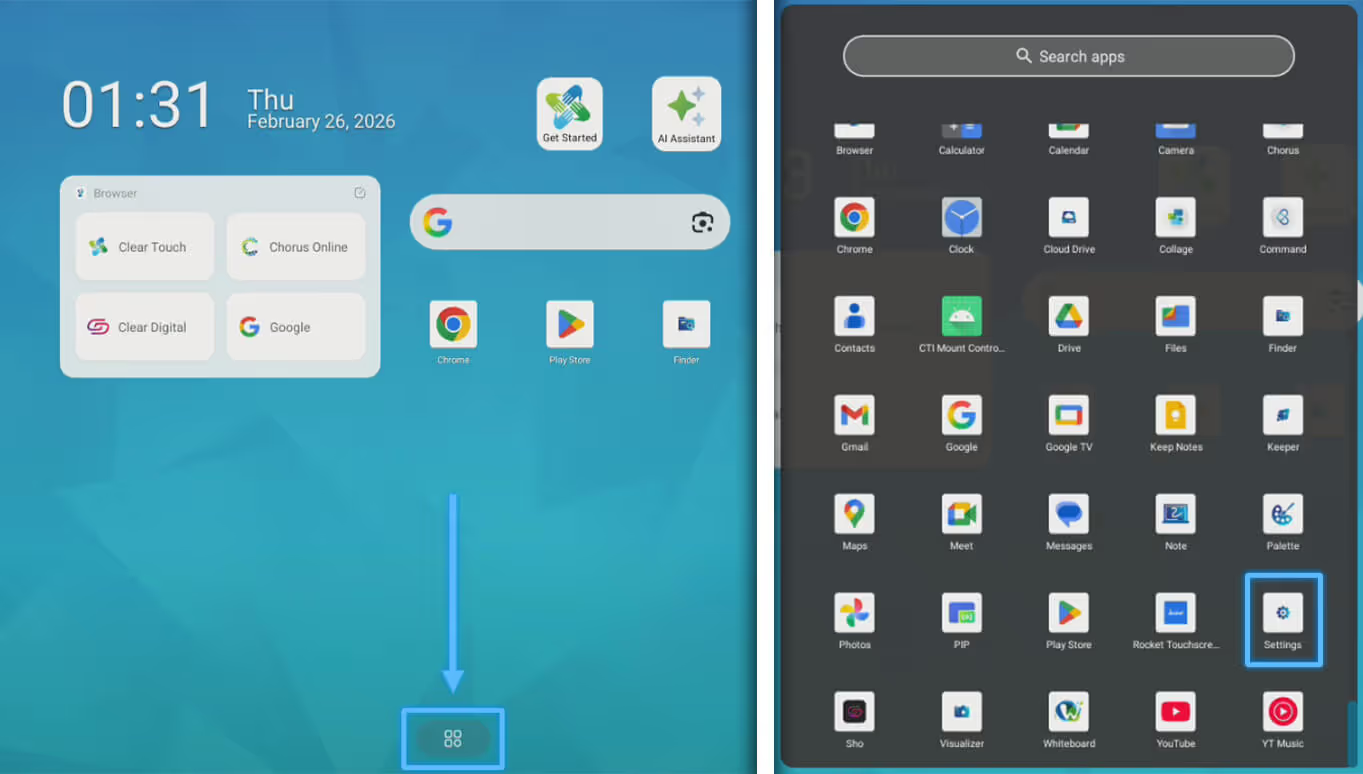
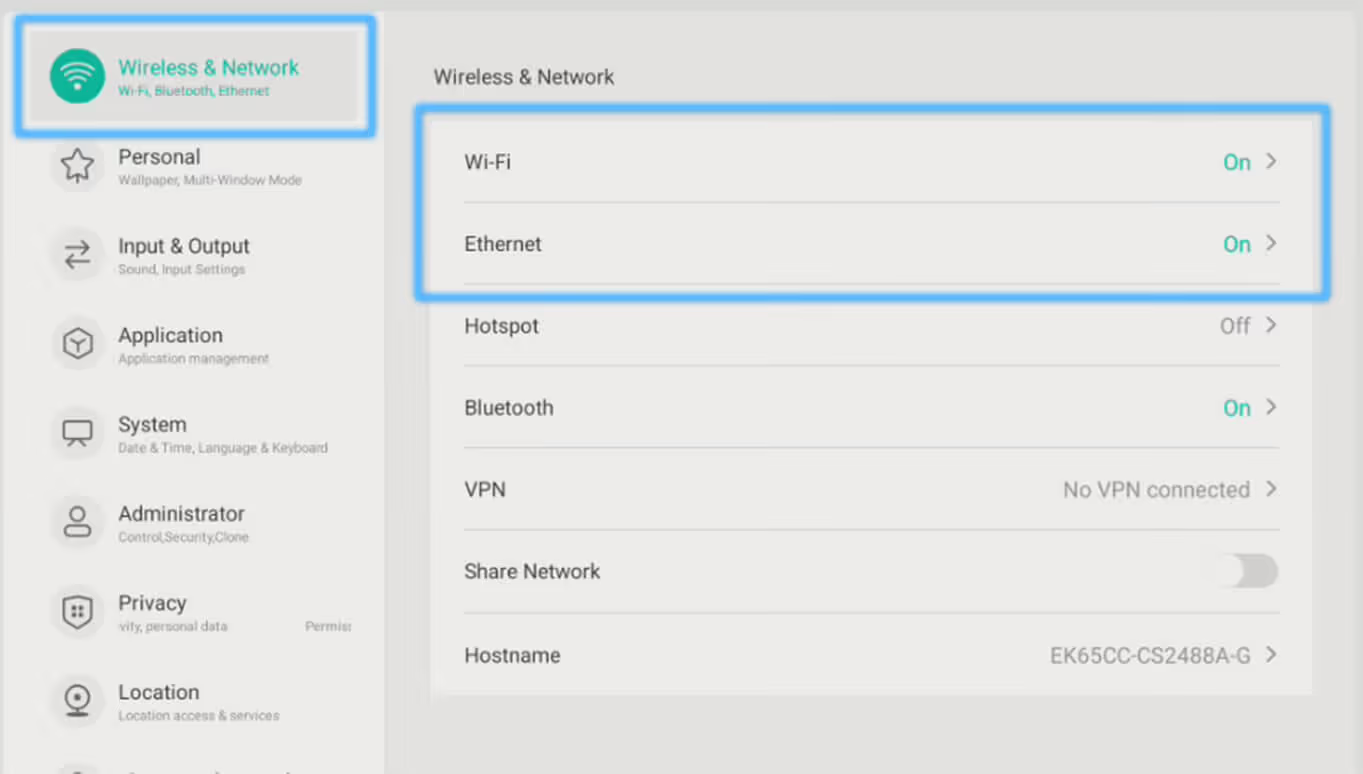
1. Select the app tray icon, locate and launch the Settings App
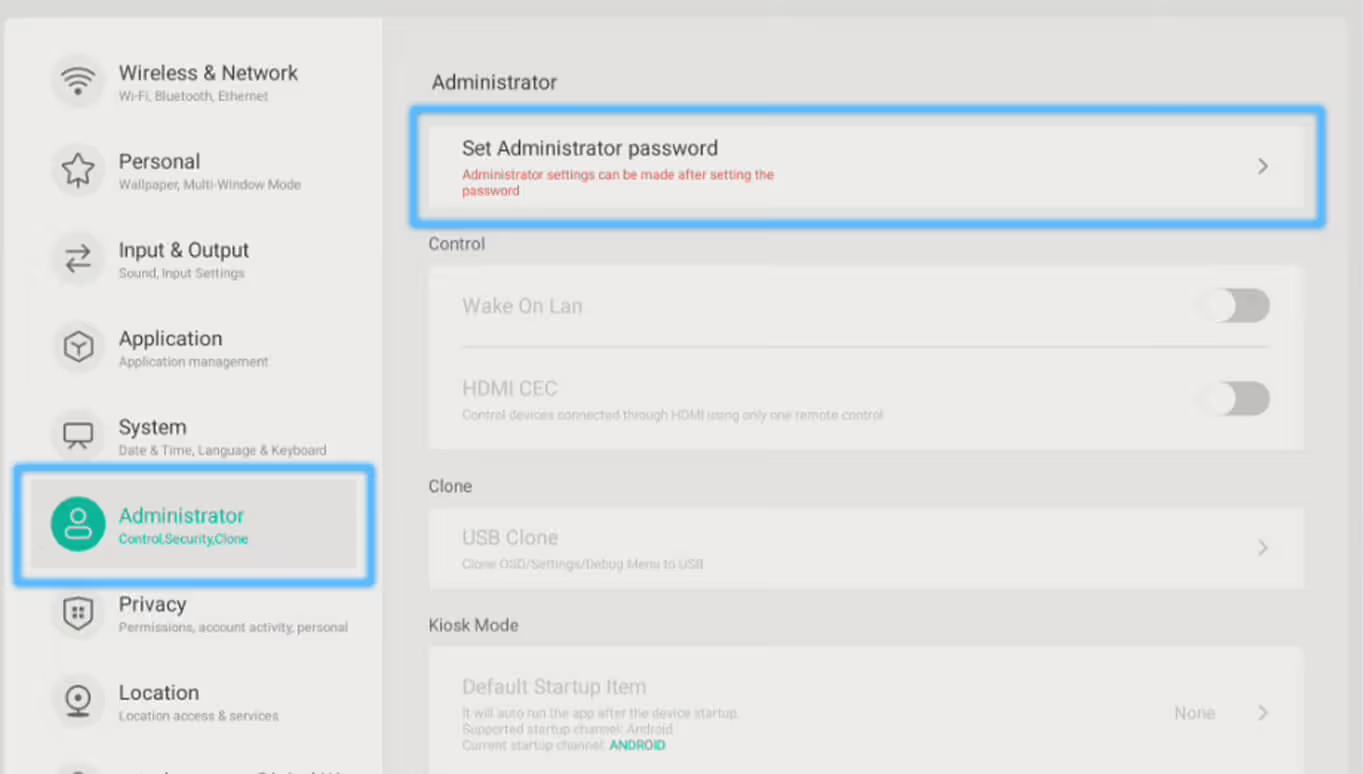
3. Select Administrator. Select “Set Administrator password”; set the password to 8000 (enter this twice)
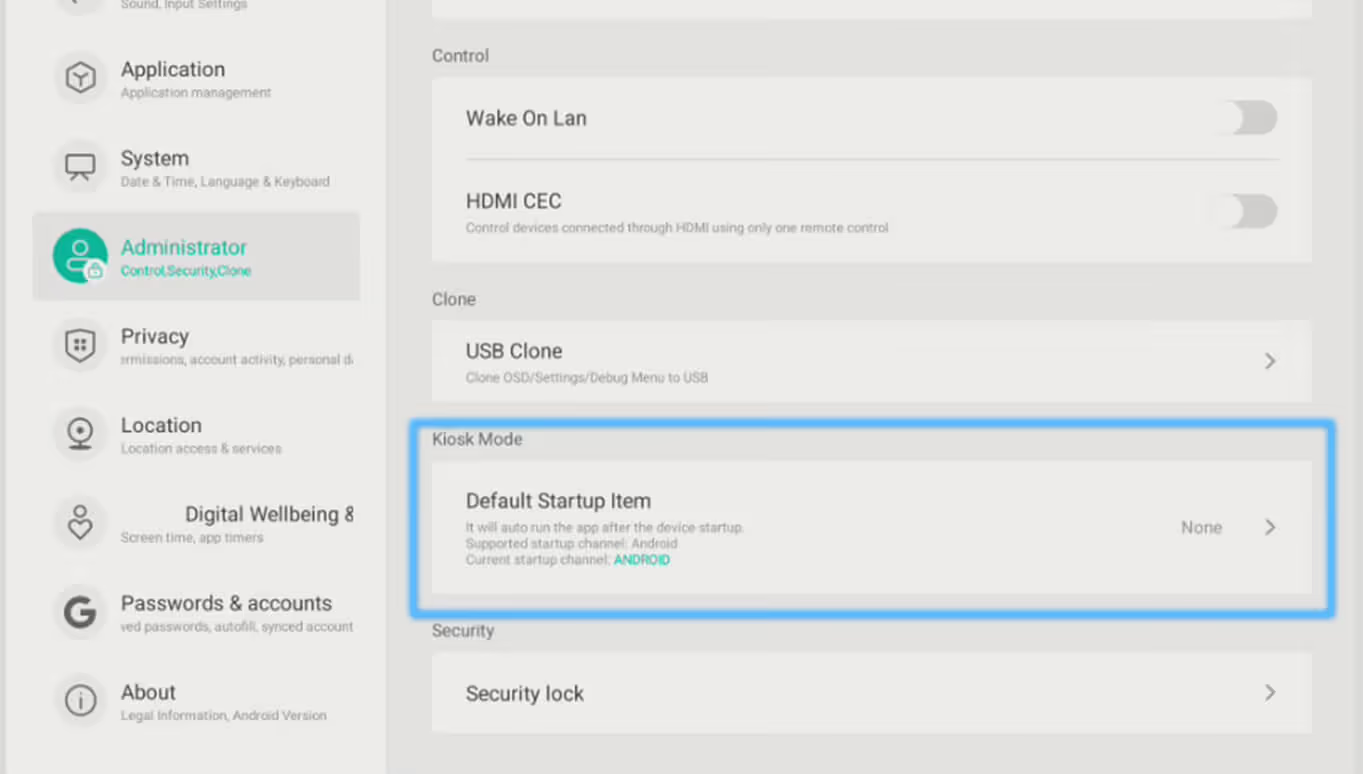
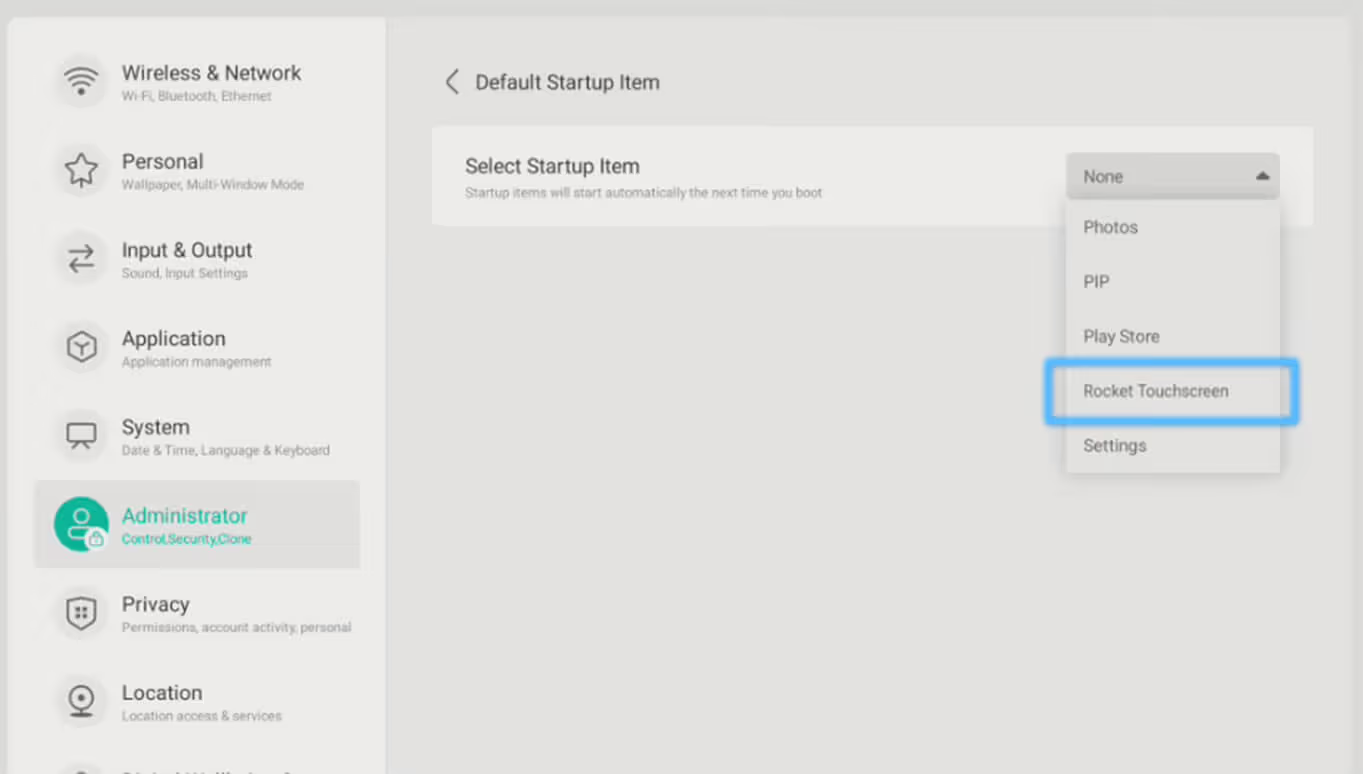
4. While in Administrator, tap the option for Default Startup Item
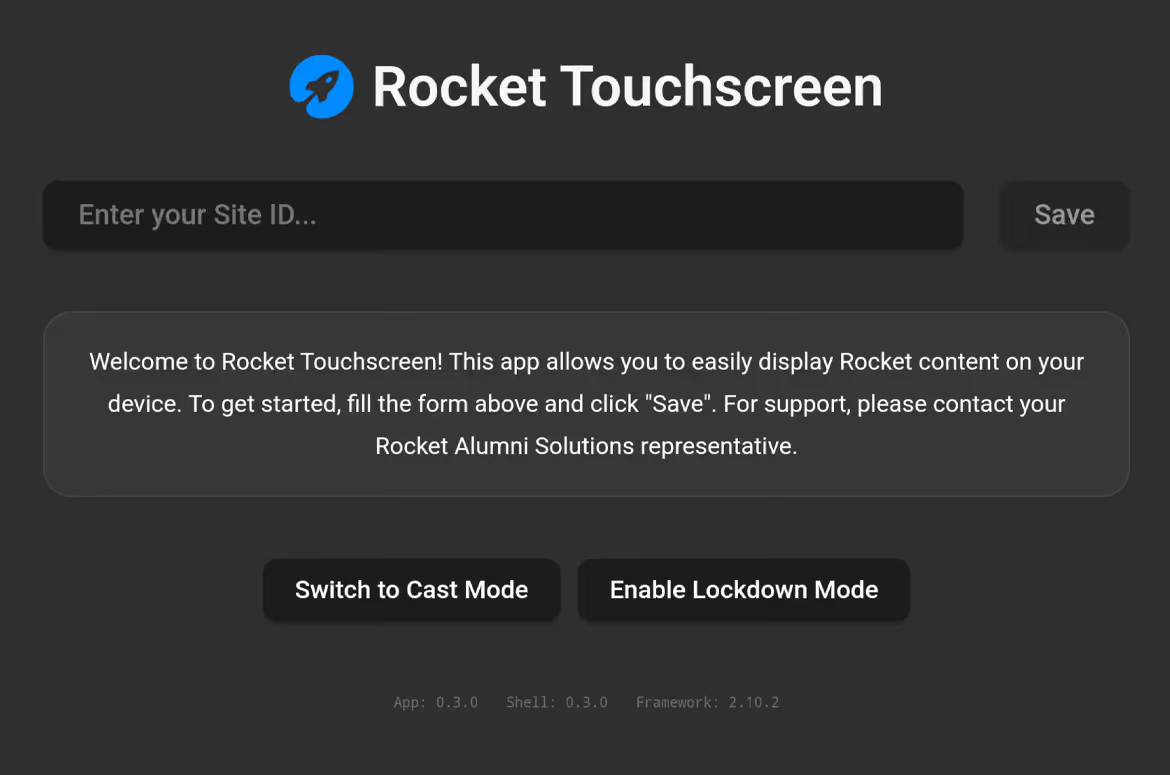
7. Open the App tray again and select Rocket Touchscreen to launch the application
8. Enter your site ID. This is the alphanumeric string at the end of YOURexample, if your site URL is 6810c977bc0fa455f90d14fa2 then the ID would be 6810c977bc0fa455f90d14fa2
Please note: you do NOT
If you are unsure what your site ID / URL is, OR are only involved in the installation side of the project, please reach out to the project owner to ask for their Rocket site URL.
9. Setup complete. We hope you enjoy your Rocket Touchscreen experience!
Get help with ClearTouch setup
Start with the ClearTouch hardware selector. If your display, attached player, or controls do not match the selected guide, stop and contact Rocket support to confirm the setup before changing settings. Include your display and player models, the step where you stopped, and a photo of the screen.
For ClearTouch hardware support, call 864-643-5045. Rocket software and account questions still go to Rocket support. See hardware and network troubleshooting for connection checks and the device details to collect.